
X-Quadrat - It is Free Software From company RIM, the Blackberry Desktop Manager's name, is to sync data on your BlackBerry device with your Computer or Laptop.
With the Blackberry Desktop Manager you can backup all data on your device, ranging from SMS, Phonebook, BBM contacts, and almost all the data that you store and you never use, you can even unlock all this data when you change your device but still
one brand, is the Blackberry Smartphone.
For this time I just want to share about Download and Installation Steps Blackberry Desktop Manager, The Not Download Blackberry Desktop Manager Please Click on the following links:
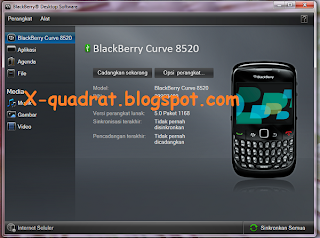
Download Blackberry Desktop Manager version: Desktop Software v7.1.0 B42 (Multilanguage)
For Installation let us follow the following steps:
1. Open File Manager The new BlackBerry Desktop you downloaded 'Desktop Software v7.1.0 B42'
2. Click Next
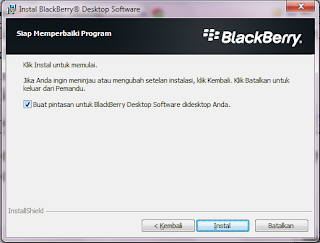
3. Give Check on "create a shortcut to your didesktop Blackberry Desktop Software" and click Install


4. Done, And please your Blackberry Data Backup Start Connecting With the USB Cable.
With the Blackberry Desktop Manager you can backup all data on your device, ranging from SMS, Phonebook, BBM contacts, and almost all the data that you store and you never use, you can even unlock all this data when you change your device but still
one brand, is the Blackberry Smartphone.
For this time I just want to share about Download and Installation Steps Blackberry Desktop Manager, The Not Download Blackberry Desktop Manager Please Click on the following links:

Download Blackberry Desktop Manager version: Desktop Software v7.1.0 B42 (Multilanguage)
For Installation let us follow the following steps:
1. Open File Manager The new BlackBerry Desktop you downloaded 'Desktop Software v7.1.0 B42'
2. Click Next

3. Give Check on "create a shortcut to your didesktop Blackberry Desktop Software" and click Install

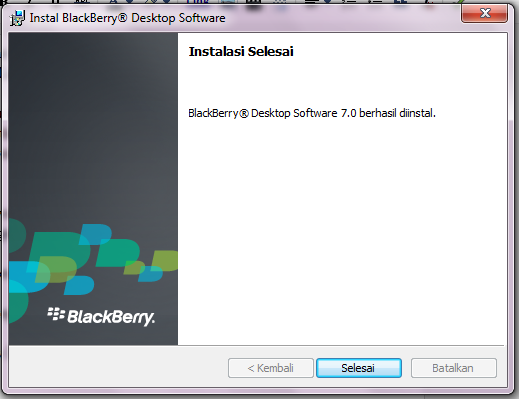
4. Done, And please your Blackberry Data Backup Start Connecting With the USB Cable.
Artikel Bahasa Inggris inggris di atas adalah Hasil Dari terjemahan Kalimat dibawah ini dengan menggunakan Ace Translator :Ini adalah Software Gratis Dari Perusahaan RIM, Namanya Blackberry Desktop Manager, Adalah untuk Sinkronisasi Data pada perangkat Blackberry anda dengan Komputer atau Laptop.Yah itulah Tulisan Tentang Download and Installation Blackberry Desktop Manager v7.1.0 B42 Semoga Bermanfaat
Dengan Blackberry Desktop Manager Anda dapat Backup seluruh data yang ada pada perangkat anda, Mulai dari SMS, Buku telepon, Kontak BBM, Dan hampir seluruh data yang pernah anda simpan dan anda gunakan, Bahkan Anda bisa membuka Semua Data ini saat anda berganti Perangkat tetapi masih satu merek, adalah Blackberry Smartphone.
Untuk kali ini saya hanya ingin berbagi tentang Download Dan Langkah-Langkah Instalasi Blackberry Desktop Manager, Yang Belum Download Blackberry Desktop Manager Silahkan Klik pada Link Berikut ini :Download Blackberry Desktop Manager Versi Terbaru Saat ini adalah Desktop Software v7.1.0 B42Untuk Instalasinya mari kita ikuti langkah Berikut ini : 1. Buka File Blackberry Desktop Manager yang baru anda download 2. Klik Selanjutnya 3. Beri Centang pada "buat pintasan untuk Blackberry Desktop Software Didesktop Anda" dan Klik Install 4. Selesai, Dan silahkan Mulai Backup Data Blackberry anda Dengan Menghubungkan Kabel USB.


